1
Make your buckets
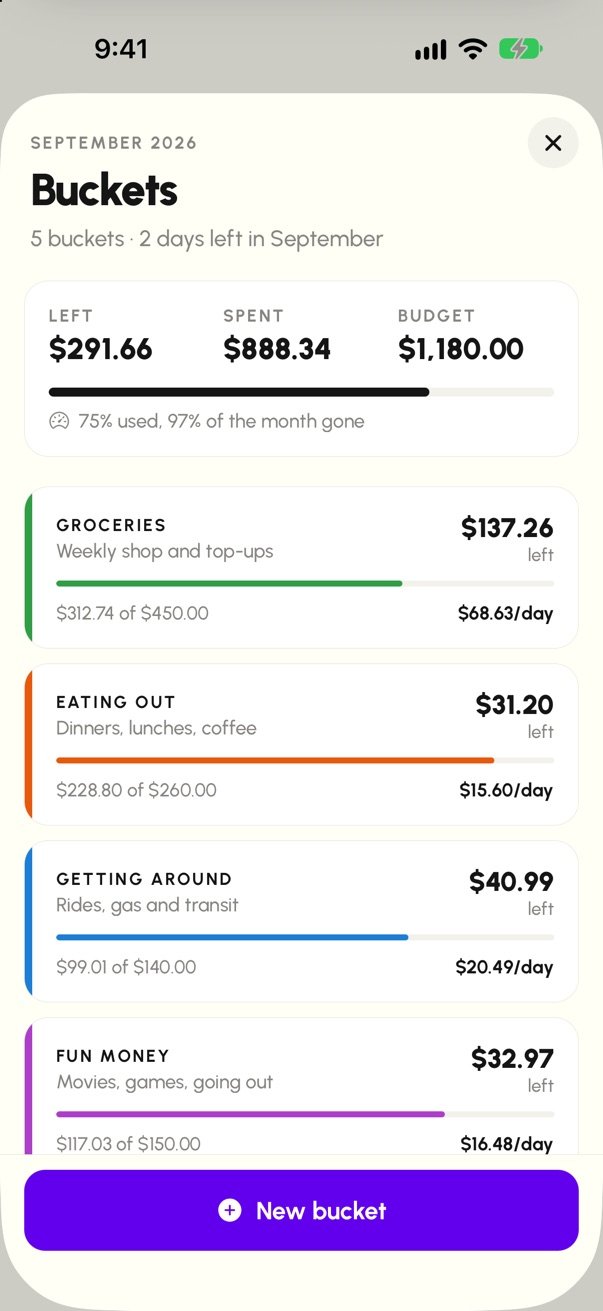
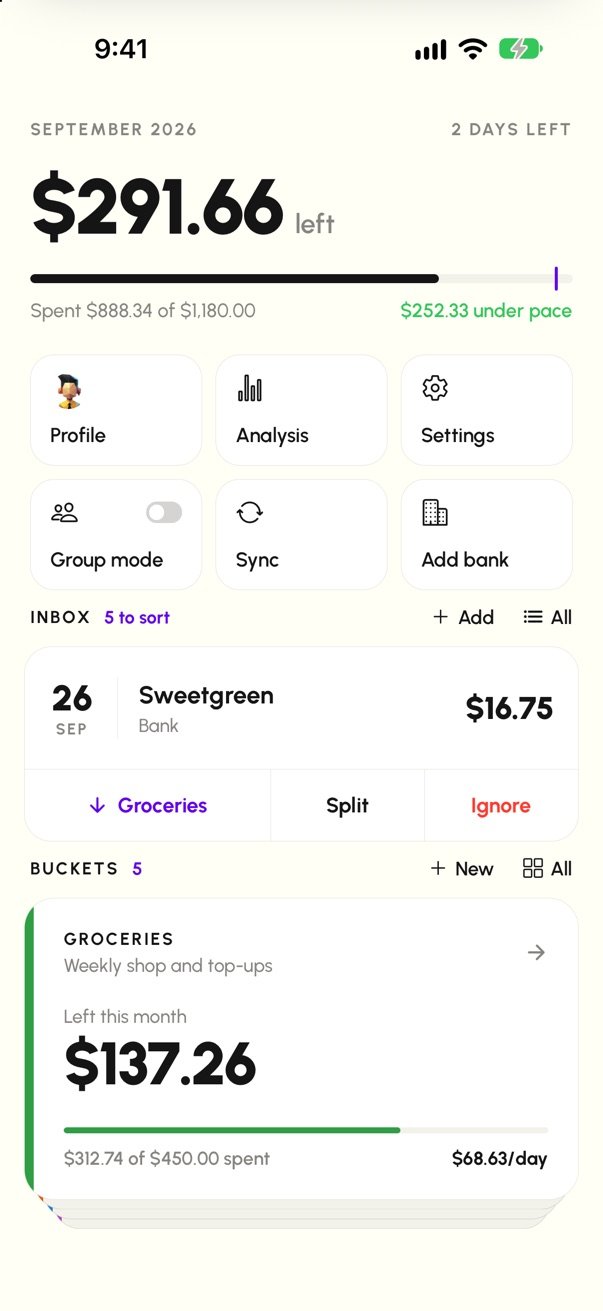
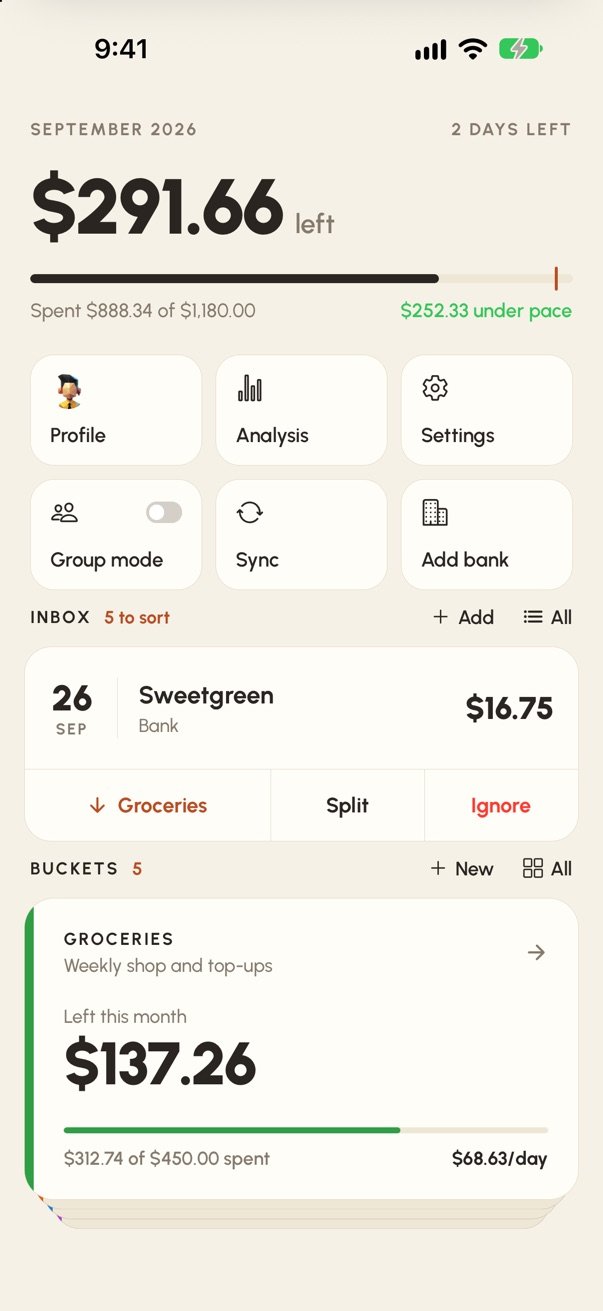
Give each part of your life a monthly budget. Spender keeps a running "left this month" and a safe amount per day.
Budgeting, in buckets
Split your money into buckets like Groceries, Eating out and Fun money. Spender shows what's left in each, and what you can spend per day, all month long.
Free to download. Spender Plus adds bank sync, groups and more for $4.99/month.
How it works
No spreadsheets and no categories to police. Just buckets, and one quick decision per purchase.
Give each part of your life a monthly budget. Spender keeps a running "left this month" and a safe amount per day.
Connect your bank with Plus and new purchases show up on their own. Or add them yourself in a few taps.
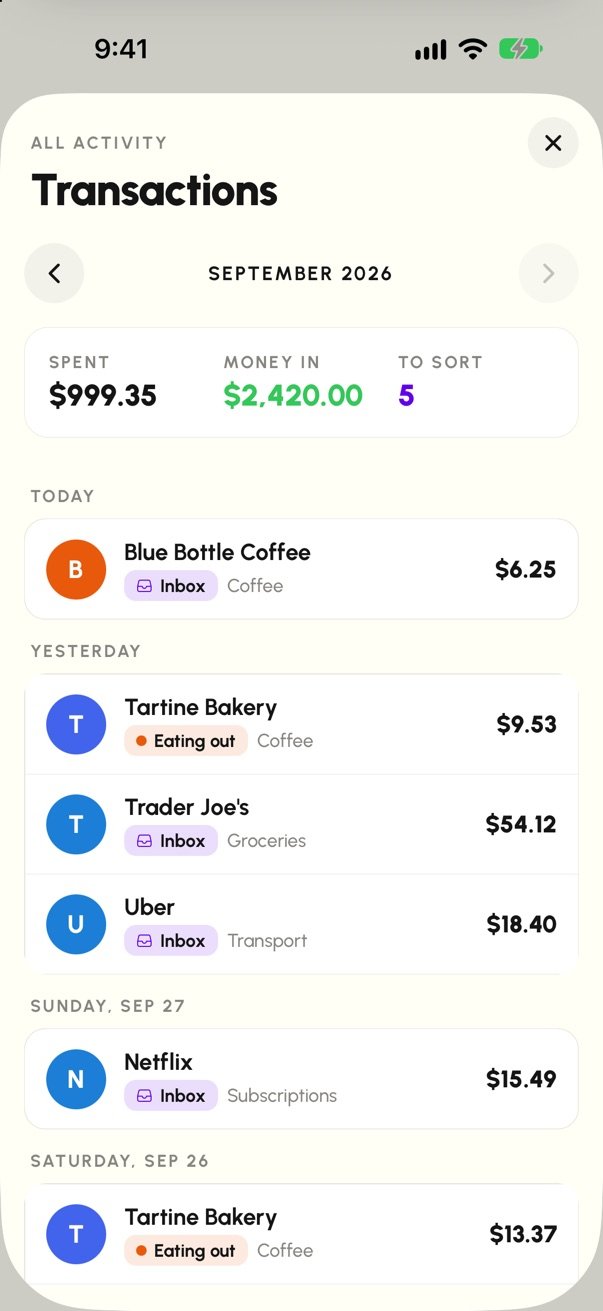
Drop each purchase into a bucket, split it across a few, or ignore it. Everything adds up by itself.
Try it right here
Tap the bucket each purchase belongs in and watch what's left update. This is a made-up month; in the app, your bank's purchases arrive in the inbox on their own.
Where does it go?
Features
Monthly budgets with what's left and a safe amount per day. Each new month starts fresh, and past months stay in Analysis.
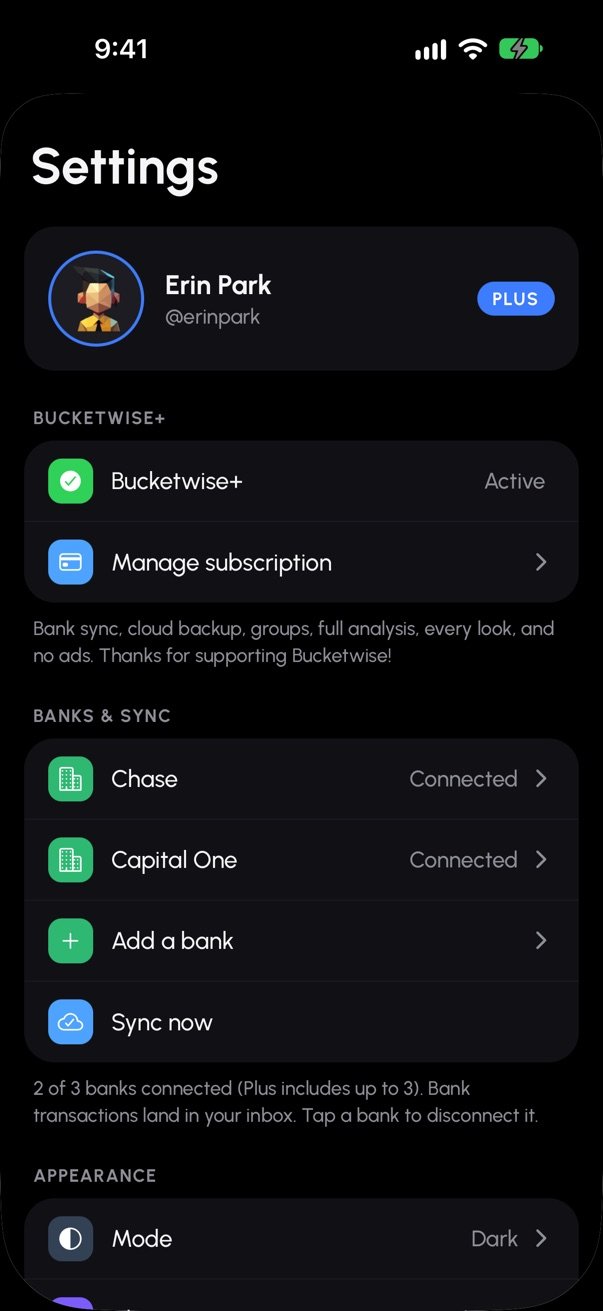
Connect up to 3 banks through Plaid. Read-only: Spender never sees your bank password and can't move money.
One tap drops a purchase in a bucket. Split a big shop across several, or ignore transfers so they don't count.
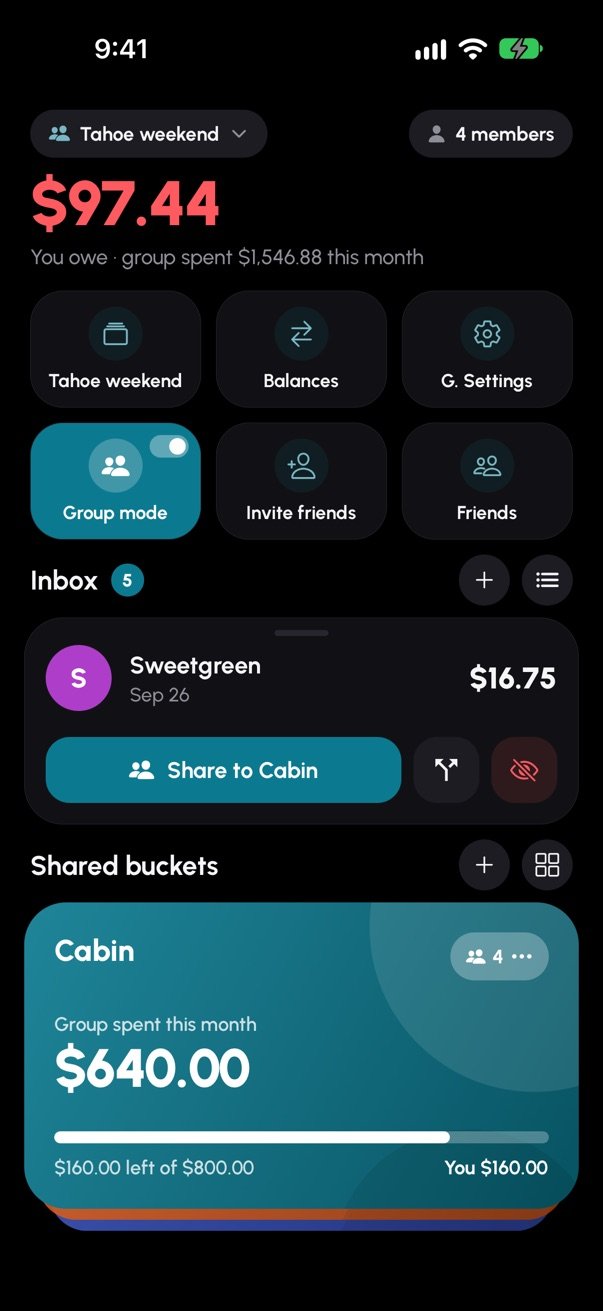
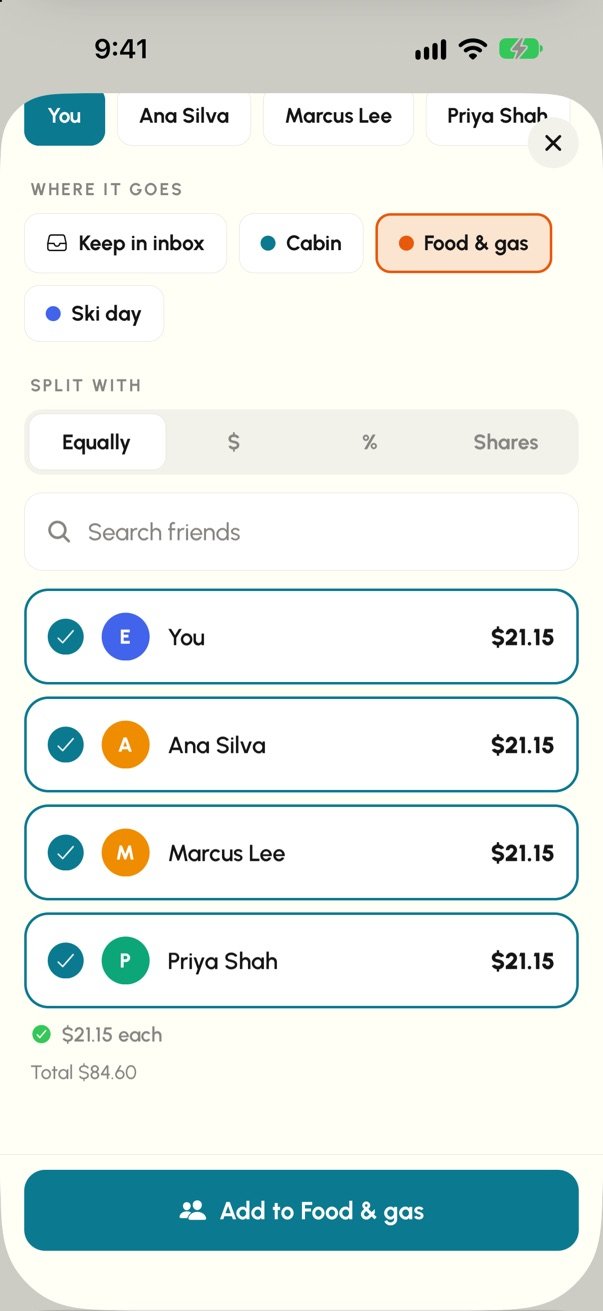
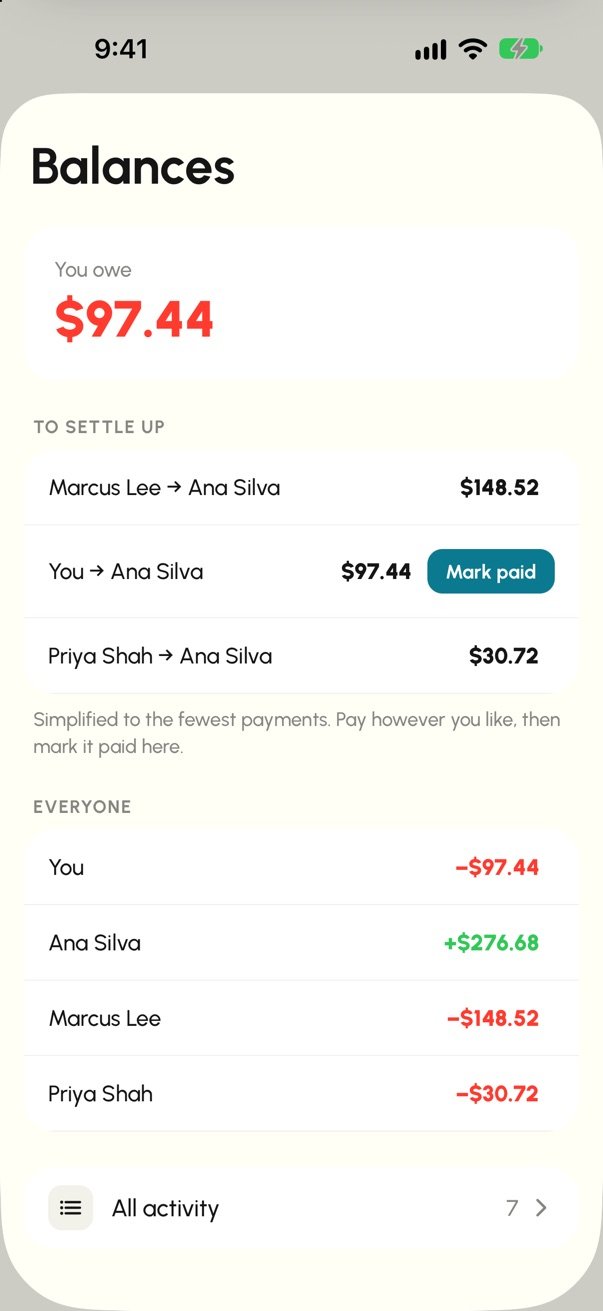
Shared buckets with friends. Split equally, by amount, by percent or by shares, and settle up in the fewest payments.
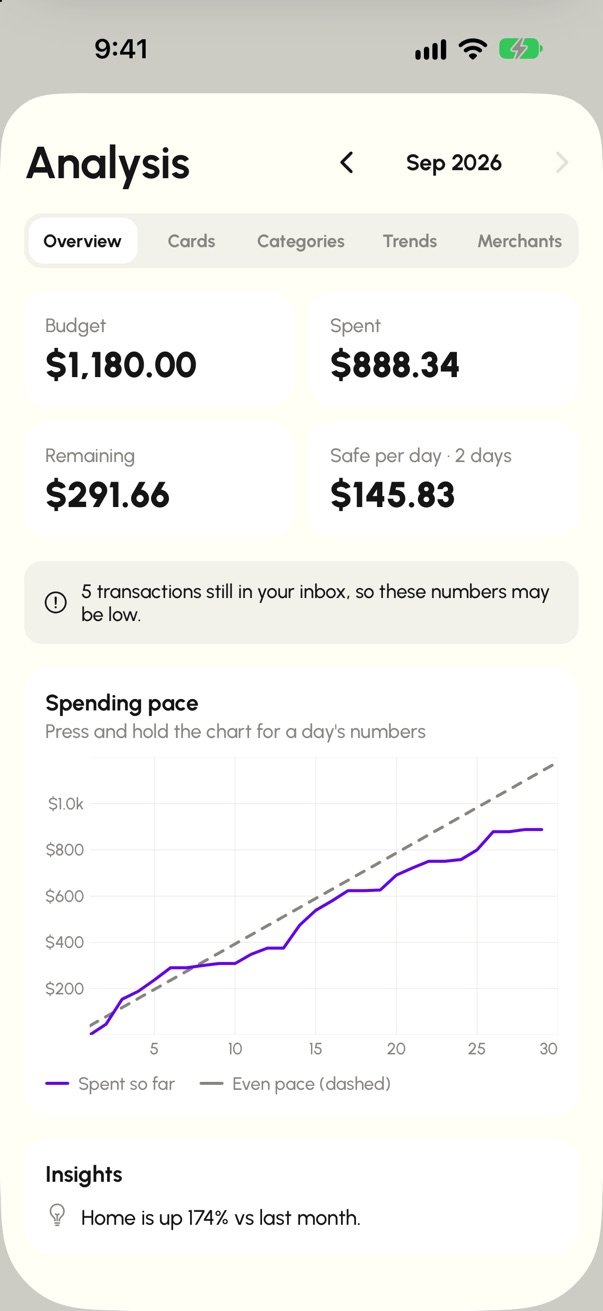
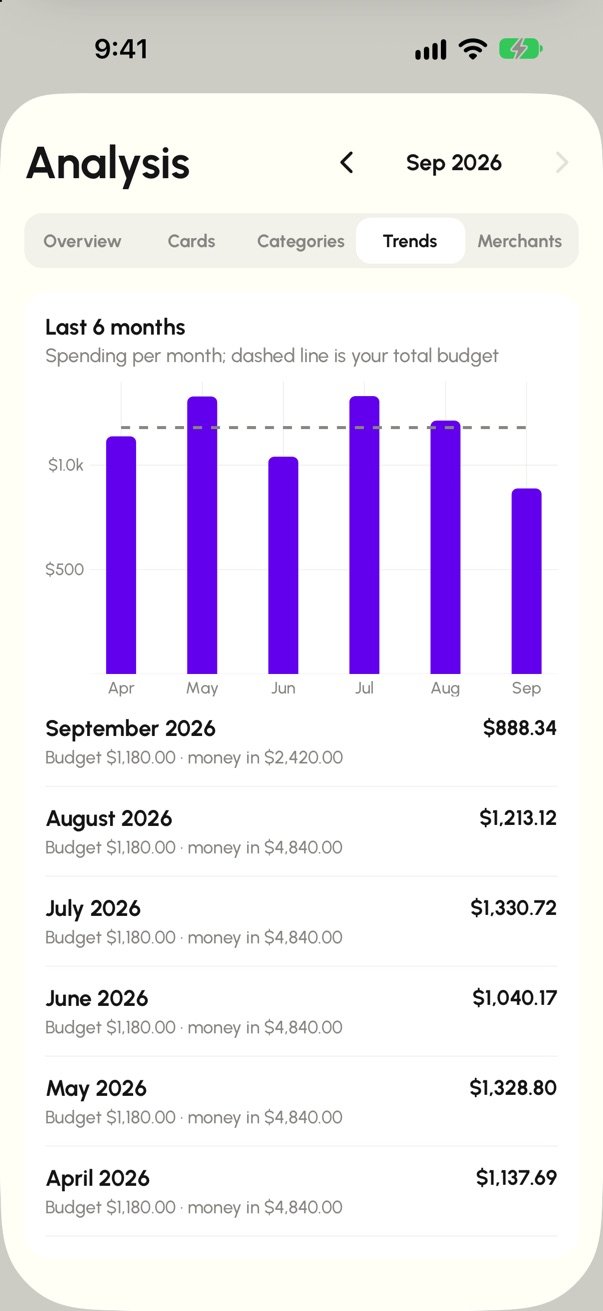
Spending pace, categories, six-month trends and top merchants, worked out on your phone.
Three home designs, seven themes, seven fonts, a text size slider, and light or dark mode.
Screens
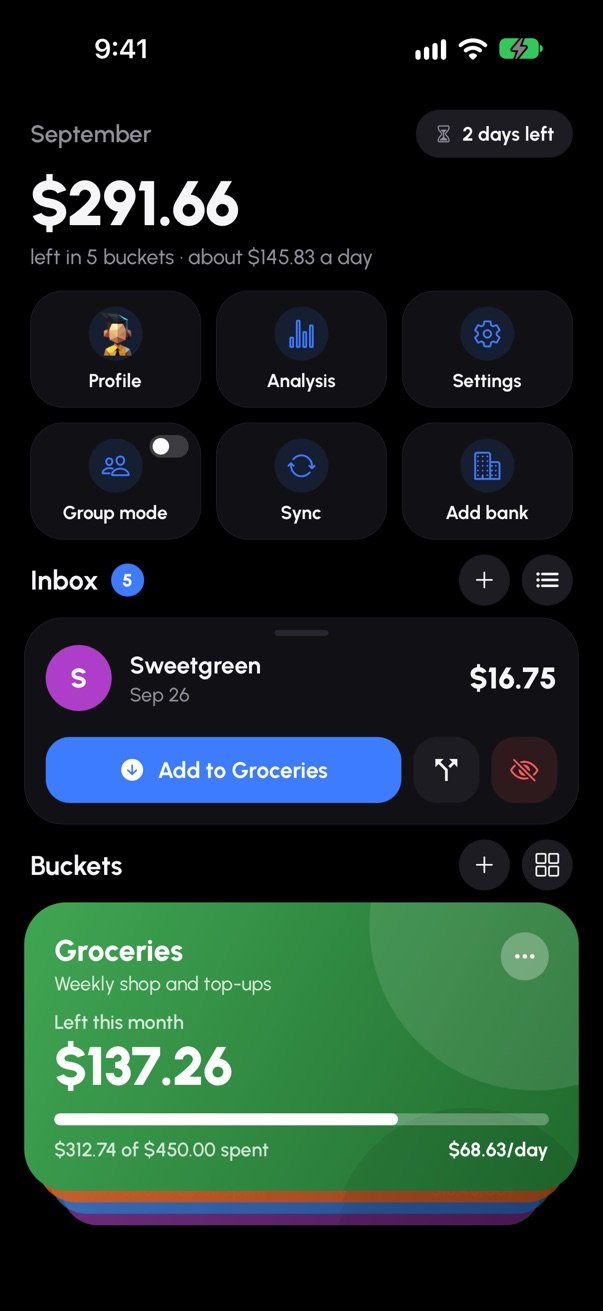
Real screens from the iPhone app, with a made-up month of spending.
Pricing
Free
Everything you need to budget by hand.
Shows ads (non-personalized).
$4.99 / month
Less typing, more insight, budgets you share.
Renews monthly until you cancel. Cancel any time in your App Store settings.
Privacy
Buckets and purchases are stored on your device. With Plus cloud backup, they're also kept in your own private cloud copy.
You sign in to your bank through Plaid. We never see your bank password, and Spender can't move your money.
We don't sell your data or use it for ads. Delete your account and data right in the app. Read the privacy policy.
FAQ
Yes. Buckets, budgets, adding and sorting purchases, this month's analysis and joining friends' groups are free, with ads. Spender Plus ($4.99/month) adds bank sync, cloud backup, creating groups, full analysis, every design and theme, and no ads.
You connect through Plaid, which many finance apps use. You sign in to your bank on Plaid's screen, so Spender never sees your username or password. Spender gets read-only access to account names and transactions, and can't move money. Your phone also asks for Face ID, Touch ID or your passcode before you connect a bank. You can disconnect a bank any time in Settings.
Most banks and credit unions in the United States that Plaid supports. Spender Plus includes up to 3 connected banks.
No. You can add purchases yourself and use Spender without ever connecting a bank.
A Plus member creates a group, such as a trip or a shared apartment, and invites friends with a code. Friends join for free. Anyone in the group can add shared expenses and split them equally, by amount, by percent or by shares. Spender keeps the balances and suggests the fewest payments to settle up. Spender doesn't send money between people: you pay each other however you like and mark it paid.
Each bucket starts the new month fresh from its budget. Last month's spending stays in Analysis, and a purchase from last month that you sort today still counts toward last month.
Spender is coming to iPhone first. Android is on the way.
In the app: Settings → Delete account. If you can't get into the app, see how to delete your account by email.
Spender is coming soon to iPhone.
Spender is a budgeting app made by Bitlitic LLC (“Bitlitic”, “we”, “us”). This policy explains what information Spender and this website collect, why, who it's shared with, how long we keep it, and the choices you have. Our Terms of Use are a separate document. Questions: customer-service@bitlitic.com.
The short version
Your account. Your email address and how you sign in (email and password, Sign in with Apple, or Google). The profile you create: name, optional username, avatar and optional date of birth. If you use Sign in with Apple, you can choose to hide your email; we then only see Apple's relay address.
Your budget. The buckets, budgets, purchases, splits and notes you enter. These are stored on your phone. If you have Spender Plus with cloud backup, they're also stored in our cloud database so they sync across your devices.
Bank data (Spender Plus, only if you connect a bank). When you connect a bank, you sign in to your bank through Plaid, our bank-connection provider. We never see or store your bank username or password. Plaid gives us read-only access to: the names and last four digits of your accounts, your bank's name, and your transactions (amount, date, merchant or description, category, pending status), going back up to 90 days and then new ones as they happen. Spender can't move money. Plaid's handling of your data is described in the Plaid End User Privacy Policy.
Groups. If you join or create a group, the other members see your name, username and avatar, the shared expenses you add, and your balance in that group.
Subscriptions. If you buy Spender Plus, Apple processes the payment. We and our subscription provider, RevenueCat, receive your subscription status and purchase history, linked to your account ID. We never receive your card details.
Device and usage information.
To run Spender and its features (budgets, bank sync, cloud backup, groups, notifications), to keep accounts and data secure, to fix crashes and improve the app, to provide customer support, and to meet legal obligations. We don't use your financial data for advertising, and we don't make automated decisions about you.
We don't sell your personal information, and we don't share it for cross-context behavioral advertising. We share it only with service providers that help us run Spender, under contracts that limit how they can use it:
| Provider | What for |
|---|---|
| Plaid | Connecting your bank and retrieving transactions |
| Google Firebase (Google Cloud, US) | Sign-in, cloud database, security checks, notifications, crash reports, analytics |
| Hostinger (US data center, Boston) | Hosting our server, Bitlitic Ops (our own analytics and error reporting) and this website |
| Apple, RevenueCat | Subscriptions |
| Google AdMob | Non-personalized ads on the free plan |
We may also disclose information if required by law, to protect the rights and safety of our users or others, or as part of a merger or sale of our business (with notice to you).
We keep your data while your account exists and delete it when you delete your account. Specifically: a connected bank's access is removed (and Plaid is told to stop) when you disconnect it, delete your account, or your Spender Plus subscription has ended for more than 7 days; crash reports are kept 90 days and analytics 2 months; server logs, which don't contain your transactions, rotate automatically. In Bitlitic Ops, usage analytics are kept 14 months, and error reports and server logs 30 days (request traces 14 days), then deleted automatically. Because Ops analytics aren't linked to your account, we can't find or delete one person's analytics on request; turning off Settings › Privacy › Share usage & crash reports stops them. Data on your phone stays until you reset your wallet or delete the app. If you leave a group by deleting your account, your name is removed from it and the expenses you added stay for the other members as “Former member”.
Your data is encrypted in transit (TLS) and at rest. Bank access tokens are additionally encrypted before we store them and never leave our server. Connecting a bank requires Face ID, Touch ID or your device passcode. Access inside Bitlitic is limited to the people who need it, with multi-factor authentication. No system is perfectly secure, but we work to protect your information and will notify you and the authorities as required if a breach affects you.
Spender isn't meant for children under 13, and we don't knowingly collect their information. If someone enters a date of birth that makes them younger than 13, we don't create the account (and remove a sign-in that was just made with Apple or Google). If you believe a child has given us information, contact us and we'll delete it.
Spender is operated from the United States, and your information is stored and processed in the United States.
This website (bitlitic.com/spender) doesn't use cookies, ads or trackers, and it loads nothing from other companies: its fonts and images are served from our own server. It counts visits with Bitlitic Ops, our own analytics at analytics.ops.bitlitic.com: the page you opened, the site that linked you here, your browser, operating system, device type, screen size and language, and an approximate location worked out from your IP address. It sets no cookies, doesn't store your IP address, and keeps this for 14 months. If your browser sends Global Privacy Control or Do Not Track, it isn't counted at all. Like any web server, ours records standard access logs (IP address, time, the page requested and your browser's user-agent) for security and troubleshooting; they rotate automatically. If you email us, we use your message only to reply.
This section adds to the rest of this policy for California residents (the California Consumer Privacy Act as amended by the CPRA, CalOPPA and Civil Code § 1798.83). We give the same rights to everyone, wherever they live.
What we collect, where from, why, who gets it and for how long (the last 12 months and today):
| Category | What | Source | Why | Disclosed to (service providers) | Kept |
|---|---|---|---|---|---|
| Identifiers | Name, email address, optional username, account ID; device identifiers (push token, Firebase installation ID, the ad network's device information) | You; your phone | Your account, sign-in, security, notifications, customer support; ads on the free plan | Google Firebase, RevenueCat, Hostinger, Google AdMob (free plan) | Until you delete your account; ads data per Google's policies |
| Customer records (Cal. Civ. Code § 1798.80) | Name, email; bank name, account names and last four digits | You; Plaid (from your bank) | Running Spender and bank sync | Plaid, Google Firebase, Hostinger | Until you disconnect the bank or delete your account |
| Commercial information | Your Spender Plus purchase history; the purchases and budgets you record or import | You; Apple or Google and RevenueCat; your bank through Plaid | Subscriptions, budgeting features, revenue reporting (price only, not linked to you) | RevenueCat, Google Firebase, Hostinger | Until you delete your account (purchase records as tax law requires) |
| Personal characteristics | Optional date of birth (only to confirm you're 13 or older) | You | Age check | Google Firebase | Until you remove it or delete your account |
| Internet or electronic activity | Screens and features used, app version, device model and OS, crash reports, visits to this website | Your phone or browser | Analytics and fixing problems | Google Firebase, Bitlitic Ops (hosted by Hostinger) | Firebase: 2 months (crash reports 90 days); Bitlitic Ops: 14 months, errors and logs 30 days |
| Geolocation (approximate) | Country, region and city worked out from your IP address; never your precise location | Your phone or browser's IP address | Analytics; serving ads on the free plan | Google Firebase, Bitlitic Ops, Google AdMob (free plan) | Up to 14 months |
| Sensitive personal information | Financial account information: bank account names, last four digits and transactions (never your bank login) | Plaid, from your bank, only if you connect one | Only to provide bank sync and budgeting | Plaid, Google Firebase, Hostinger | Until you disconnect the bank or delete your account |
We don't collect biometric data (Face ID and Touch ID stay on your phone), precise location, contacts, photos or government IDs, and we don't draw inferences or build profiles about you.
No selling or sharing. We don't sell your personal information or share it for cross-context behavioral advertising, and we haven't in the last 12 months; we have no actual knowledge of selling or sharing information of anyone under 16. Ads on the free plan are non-personalized and requested with Google's restricted data processing setting, so Google acts as our service provider. Because there's no sale or sharing, there's nothing to opt out of.
Sensitive personal information (your bank account and transaction data) is used only to provide Spender to you, as the CPRA allows, so there's no need to ask us to limit it.
Your rights: to know what we collect and get a copy of it (portability), to correct it, to delete it, to opt out of sale or sharing and to limit sensitive information (we do neither), and not to be treated differently for using these rights. How:
We confirm receipt within 10 business days and answer within 45 days. If we need more time (up to 45 more days) we'll tell you why. If we can't do what you asked, we'll explain why, and you can reply to ask us to look again.
Global Privacy Control and Do Not Track. We don't sell or share personal information, so these signals don't change anything in the app. On this website, a browser that sends Global Privacy Control or Do Not Track isn't counted in our analytics at all.
Shine the Light (Civil Code § 1798.83). We don't disclose personal information to third parties for their own direct marketing.
If we change this policy, we'll update the date above, and for significant changes we'll let you know in the app before they take effect.
Bitlitic LLC · customer-service@bitlitic.com · bitlitic.com
Please read these terms carefully. Section 17 contains a binding arbitration agreement and class action waiver that affect how disputes are resolved. You can opt out of arbitration within 30 days, as described in section 17.
These Terms of Use (“Terms”) are a legal agreement between you and Bitlitic LLC, an Ohio limited liability company (“Bitlitic”, “we”, “us”), covering the Spender mobile app, the Spender server that powers it, and this website (together, “Spender” or the “Service”). They also serve as the end-user licence agreement (EULA) for the app. Our Privacy Policy explains how we handle your information.
The short version (the full terms below control)
By downloading, installing, accessing or using Spender, or by creating an account, you agree to these Terms and confirm you have read the Privacy Policy. If you don't agree, don't use Spender. If you use Spender on behalf of an organisation, you confirm you're authorised to bind it, and “you” includes that organisation.
You must be at least 13 years old (or older, if your country requires it) to use Spender. If you're under the age of majority where you live, you may use Spender only with the permission and supervision of a parent or legal guardian, who agrees to these Terms on your behalf and is responsible for your use. To connect a bank account you must be an authorised user of that account. You may not use Spender if you're barred from doing so under the laws of the United States or any other applicable jurisdiction, or if we have previously terminated your account.
Spender is a personal budgeting tool: you set monthly budgets in “buckets”, record or import purchases, sort them into buckets, see analysis of your spending, and share buckets and expenses with friends in groups.
Spender is not a bank, money transmitter, payment service, lender, broker or financial adviser. It doesn't hold, move, send or receive money; doesn't make payments between group members; and doesn't provide financial, investment, tax, legal or accounting advice. Figures such as “left this month”, “per day”, pace and insights are simple calculations from the information in the app, provided for your convenience. Decisions you make about your money are your own.
Your wallet data is stored on your device. Unless you have Spender Plus with cloud backup turned on, it isn't backed up by us and will be lost if you delete the app, reset or lose your device, or delete your account.
You need an account to use Spender. You agree to give accurate information, keep it up to date, keep your password and devices secure, and not share your account. You're responsible for all activity under your account. Tell us immediately at customer-service@bitlitic.com if you suspect unauthorised use. Usernames must not impersonate anyone, infringe anyone's rights, or be offensive; we may change a username at our discretion. You may not sell or transfer your account.
Spender is free to download. The free plan shows ads from third parties such as Google AdMob; we don't endorse and aren't responsible for what they advertise. Spender Plus is an optional subscription that adds features described in the app, such as bank sync (up to 3 connected banks), cloud backup, creating groups, full analysis, extra designs and themes, and no ads.
We may change what Spender Plus includes. If we remove a major Plus feature, we'll tell you in the app before the change takes effect.
Bank sync is provided through Plaid Inc. (“Plaid”). When you connect a bank, you sign in to your bank on Plaid's screen and authorise Plaid to retrieve your account and transaction information and share it with Bitlitic for use in Spender, as described in our Privacy Policy. Your use of Plaid is subject to Plaid's End User Privacy Policy. You represent that you're authorised to access the accounts you connect.
Spender's access is read-only. Bank and Plaid data may be delayed, incomplete, duplicated or inaccurate, and connections can stop working (for example when your bank asks you to sign in again). Your bank's statements are the official record. We aren't responsible for errors or outages caused by your bank or Plaid. You can disconnect a bank at any time in Settings.
“Your Content” means anything you add to Spender, such as bucket names, notes, shared expenses and their titles, group names, and messages to support. You keep whatever rights you have in Your Content. You grant Bitlitic a worldwide, non-exclusive, royalty-free licence to host, store, copy, process and display Your Content only as needed to operate, secure and improve Spender (for example, to show a shared expense to the other members of your group) and for as long as it stays in Spender.
In a group, the other members can see your name, username and avatar, the expenses you add and your balance. Group balances are a record you keep with your friends; they aren't a debt collected or enforced by Bitlitic, and Spender doesn't send or receive money between people. Only invite people you know. If you delete your account, the expenses you added stay in the group for the other members, as described in the Privacy Policy.
If you send us ideas or suggestions, we may use them without restriction or compensation to you.
You agree not to, and not to help anyone else to:
We may investigate and take any action we consider appropriate, including removing content, suspending or terminating accounts, and reporting to law enforcement.
Spender relies on services provided by others, including Plaid, your bank, Google Firebase, Apple, Google, RevenueCat and advertisers on the free plan. They are provided under their own terms and privacy policies. We don't control them and are not responsible or liable for their availability, accuracy, content or practices, or for any loss arising from your use of them.
Subject to these Terms, Bitlitic grants you a personal, limited, revocable, non-exclusive, non-transferable, non-sublicensable licence to download and use the Spender app on devices you own or control, for your personal, non-commercial use. Spender — including its software, design, text, graphics, icons, the “Spender” name and logo (but excluding Your Content and third-party content) — is owned by Bitlitic or its licensors and protected by intellectual property laws. All rights not expressly granted are reserved. Spender includes open-source fonts and software licensed under their own terms, which govern those components.
We may change, add, suspend or discontinue any part of Spender at any time. Spender may be unavailable because of maintenance, outages, third-party failures or events outside our control. We have no obligation to provide updates, support or maintenance, though we may choose to.
We may update these Terms. When we do, we'll change the “Last updated” date above, and for material changes we'll give notice in the app or by email before they take effect. Continuing to use Spender after the changes take effect means you accept them. If you don't agree, stop using Spender, cancel any subscription and delete your account. Changes to section 17 do not apply to disputes you had already notified us of before the change.
You may stop using Spender at any time and delete your account in the app (Settings → Delete account). We may suspend or terminate your access, remove your content, or delete your account if we believe you've violated these Terms or the law, if required by law, to protect Spender, its users or others, or if we discontinue the Service. If we terminate your account without cause while you have an active Spender Plus subscription, we'll tell you so you can cancel it. Sections 3, 7 and 13 through 21, and any other provisions that by their nature should survive, survive termination.
To the maximum extent permitted by law, Spender and all content, information and services provided through it are provided “as is” and “as available”, with all faults and without warranties of any kind, whether express, implied or statutory. Bitlitic, its members, managers, officers, employees, contractors, agents, licensors and service providers (the “Bitlitic Parties”) expressly disclaim all warranties, including implied warranties of merchantability, fitness for a particular purpose, title, non-infringement, accuracy, and any warranties arising from course of dealing or usage of trade.
Without limitation, the Bitlitic Parties do not warrant that: Spender will meet your requirements or be uninterrupted, timely, secure or error-free; any balance, transaction, calculation, bank data or other information is accurate, complete or current; data stored on your device or by us will be preserved; or Spender is free of viruses or other harmful components. Spender does not provide financial advice. You use Spender at your own discretion and risk.
Some jurisdictions don't allow the exclusion of certain warranties, so some of these exclusions may not apply to you; in that case they apply to the fullest extent permitted.
To the maximum extent permitted by law, in no event will the Bitlitic Parties be liable for any indirect, incidental, special, consequential, exemplary or punitive damages, or for any loss of profits, revenue, goodwill, data, or use, or for any fees, overdrafts, penalties or other financial losses, or for any damages arising from: your use of or inability to use Spender; any financial decision you make; any inaccuracy or delay in bank or other data; any content or conduct of any user or third party, including other group members; unauthorised access to or alteration of your account or data; or any errors, interruptions or security breaches — whether based on warranty, contract, tort (including negligence), product liability, statute or any other legal theory, and whether or not any Bitlitic Party has been advised of the possibility of such damages.
To the maximum extent permitted by law, the total aggregate liability of the Bitlitic Parties for all claims arising out of or relating to Spender or these Terms is limited to the greater of (a) the amount you paid for Spender in the twelve (12) months before the event giving rise to the liability, and (b) fifty US dollars (US $50).
These limitations are an essential part of the bargain between you and Bitlitic and apply even if a remedy fails of its essential purpose. They do not limit liability that cannot be limited under applicable law, such as liability for fraud, or for death or personal injury caused by gross negligence or wilful misconduct where such limitation is prohibited.
To the extent permitted by law, any claim arising out of or relating to Spender or these Terms must be brought within one (1) year after the claim arises; otherwise it is permanently barred.
To the maximum extent permitted by law, you agree to defend, indemnify and hold harmless the Bitlitic Parties from and against any claims, damages, losses, liabilities, costs and expenses (including reasonable attorneys' fees) arising out of or relating to: (a) Your Content; (b) your use or misuse of Spender; (c) your violation of these Terms or any law; or (d) your violation of any right of any third party. We may assume the exclusive defence and control of any matter subject to indemnification at your expense, and you'll cooperate with us.
To the maximum extent permitted by law, you release the Bitlitic Parties from all claims, known and unknown, arising out of disputes with other users (including about group expenses and balances) or with third parties such as your bank. If you're a California resident, you waive California Civil Code § 1542, which says: “A general release does not extend to claims that the creditor or releasing party does not know or suspect to exist in his or her favor at the time of executing the release and that, if known by him or her, would have materially affected his or her settlement with the debtor or released party.” You waive any similar law of any other jurisdiction.
Informal resolution first. Before starting any claim, you and Bitlitic agree to try to resolve the dispute informally for at least 60 days after one party sends the other a written notice describing the claim and the relief sought. Send yours to customer-service@bitlitic.com (subject “Dispute notice”), including your name and your account's email address.
Binding individual arbitration. If we can't resolve it, you and Bitlitic agree that any dispute, claim or controversy arising out of or relating to Spender or these Terms (including their formation, scope, validity or enforceability) will be resolved by final and binding arbitration on an individual basis, except as set out below. The arbitration will be administered by the American Arbitration Association (AAA) under its Consumer Arbitration Rules then in effect, before a single arbitrator, and may be conducted by video, phone or written submissions. The Federal Arbitration Act governs this section. The arbitrator may award the same individual relief a court could, but only in favour of the individual party seeking relief and only to the extent needed to provide relief warranted by that party's individual claim. Payment of AAA fees will be governed by the AAA's rules, except that if you show that the costs of arbitration would be prohibitive compared with litigation, we will pay as much of the filing and hearing fees as the arbitrator considers necessary to prevent that.
Exceptions. Either party may (a) bring an individual claim in small claims court if it qualifies and stays there, and (b) seek injunctive or other equitable relief in court to stop infringement or misuse of intellectual property or unauthorised access to the Service.
Class action and jury trial waiver. You and Bitlitic each agree that claims may be brought only in an individual capacity, and not as a plaintiff or class member in any purported class, collective, consolidated, representative or private attorney general proceeding. The arbitrator may not consolidate more than one person's claims. You and Bitlitic each waive the right to a trial by jury.
Mass filings. If 25 or more similar demands are filed against Bitlitic by or with the help of the same law firm or organisation, they will be administered in batches of up to 25 under the AAA's Mass Arbitration Supplementary Rules, and the statute of limitations for demands not yet in a batch is tolled.
30-day opt-out. You may opt out of this arbitration agreement by emailing customer-service@bitlitic.com with the subject “Arbitration opt-out”, your name and your account's email address, within 30 days of first accepting these Terms. Opting out doesn't affect any other part of these Terms.
Severability. If the class action waiver is found unenforceable for a claim, that claim (and only that claim) must be severed and brought in court as described in section 18, and stayed pending arbitration of the remaining claims. If any other part of this section is found unenforceable, the rest stays in effect.
These Terms and any dispute arising out of or relating to them or Spender are governed by the laws of the State of Ohio, United States, and applicable US federal law, without regard to conflict-of-laws principles. Subject to section 17, any claim not subject to arbitration must be brought exclusively in the state or federal courts located in Ohio, and you and Bitlitic consent to their personal jurisdiction and venue. If you live outside the United States, this doesn't deprive you of the protection of mandatory consumer-protection laws of your country of residence.
If you downloaded Spender from Apple's App Store, you and Bitlitic acknowledge that: (a) these Terms are between you and Bitlitic only, not Apple, and Bitlitic, not Apple, is solely responsible for Spender and its content; (b) your licence is limited to using Spender on Apple-branded products you own or control, as permitted by the Usage Rules in the Apple Media Services Terms and Conditions, except that Spender may be accessed by other accounts associated with you via Family Sharing or volume purchasing; (c) Apple has no obligation to provide maintenance or support for Spender; (d) if Spender fails to conform to any applicable warranty, you may notify Apple and Apple will refund the purchase price (if any), and to the maximum extent permitted by law Apple has no other warranty obligation, and any other claims, losses, liabilities, damages, costs or expenses attributable to a failure to conform to a warranty are Bitlitic's responsibility to the extent not disclaimed in these Terms; (e) Bitlitic, not Apple, is responsible for addressing any claims by you or a third party relating to Spender or your possession or use of it, including product liability claims, claims that Spender fails to conform to legal or regulatory requirements, and claims under consumer protection, privacy or similar laws; (f) in the event of a third-party claim that Spender or your possession and use of it infringes that third party's intellectual property rights, Bitlitic, not Apple, is solely responsible for the investigation, defence, settlement and discharge of that claim; (g) you represent that you are not located in a country subject to a US Government embargo or designated as a “terrorist supporting” country, and are not listed on any US Government list of prohibited or restricted parties; (h) you must comply with applicable third-party terms when using Spender; and (i) Apple and its subsidiaries are third-party beneficiaries of these Terms and, upon your acceptance, Apple will have the right (and will be deemed to have accepted the right) to enforce these Terms against you as a third-party beneficiary. Questions, complaints or claims about Spender should be sent to Bitlitic at the contact details in section 22.
If you downloaded Spender from Google Play, you also agree to Google Play's Terms of Service. Google is not responsible for Spender, and Bitlitic, not Google, is responsible for Spender and its support.
Bitlitic LLC, Ohio, United States · customer-service@bitlitic.com
Email customer-service@bitlitic.com and a person will read it. We usually reply within a few days. It helps to include your phone model, the app version, and what you tapped just before something went wrong. If it's about your account, write from the email address the account uses. Never send us your bank password or card numbers.
A bucket is a monthly budget for one part of your life, like Groceries or Fun money. Every purchase you sort into it is taken off what's left, and Spender shows how much you can spend per day for the rest of the month. Each month starts fresh from the bucket's budget.
With Spender Plus, tap Add bank on Home (or Settings → Banks & sync → Add a bank). Confirm with Face ID, Touch ID or your passcode, then choose your bank and sign in on Plaid's screen. New purchases then arrive in your inbox. Plus includes up to 3 banks.
Banks sometimes ask you to sign in again. Go to Settings → Banks & sync, tap the bank and follow the steps. Your existing transactions stay put.
Pending purchases are replaced by the final version when your bank posts them. If something still looks wrong, you can ignore a transaction (swipe it or tap Ignore) so it doesn't count, and restore it later from Settings. Your bank's statement is the official record.
Tap Split on an inbox purchase, or swipe any purchase and choose Split. Divide it by amount or percent and send each part to a different bucket.
Turn on Group mode on Home, open your group and tap Invite friends to share a code. Friends join for free. Creating a group needs Spender Plus.
Subscriptions are managed by Apple: on your iPhone open Settings → your name → Subscriptions → Spender, and cancel. Plus stays active until the end of the period you've paid for. Deleting the app doesn't cancel it.
Open the Plus screen and tap Restore. Make sure you're signed in to the same Spender account and the same Apple ID you bought with.
On the sign-in screen, tap “Forgot password?” and we'll email you a reset link. If you signed up with Apple or Google, use that button instead.
Settings → Delete account. If you can't reach the app, see delete your account.
Privacy Policy · Terms of Use · Delete your account · Accessibility
It happens immediately and can't be undone.
Email customer-service@bitlitic.com from the email address on your Spender account with the subject “Delete my Spender account”. We verify that the request came from that address and delete the account within 30 days (usually much sooner), then reply to confirm. We can't act on requests from a different address.
Your subscription. Spender Plus is billed by Apple or Google, so deleting your account doesn't cancel it. Cancel it in your App Store or Google Play subscriptions first. We and RevenueCat keep purchase records as long as tax and accounting laws require.
Group expenses you added. You leave your groups and your name and avatar are removed. Your balance is cleared for the others, and the expenses you added stay for them as “Former member”, so their totals still add up.
Data on other phones. Your wallet is stored on each device. On a phone where you didn't press Delete, delete the app to remove it.
Short-lived records kept by us and our providers, which expire on their normal schedule: Firebase crash reports (90 days) and usage analytics (2 months); in Bitlitic Ops, our own analytics, usage analytics (14 months, never linked to your account), error reports and server logs (30 days) and request traces (14 days); and our server's own logs (rotated automatically). See the Privacy Policy.
We want everyone to be able to budget with Spender, including people who use screen readers, larger text, reduced motion or other assistive technology. This statement covers the Spender iPhone app and this website (bitlitic.com/spender).
We aim to meet the Web Content Accessibility Guidelines (WCAG) 2.2, Level AA, applied to both the app and the website. Today Spender partially conforms: most of it meets the standard, and the known gaps are listed below.
We assess Spender ourselves (a self-assessment) with VoiceOver, large text sizes, Reduce Motion and contrast measurements, and review this statement at least once a year and with each major release.
If something in Spender or on this website is hard to use, email customer-service@bitlitic.com with the subject “Accessibility”. Tell us what you were trying to do and what assistive technology you use. We'll reply within 5 business days and, where we can, help you do what you needed in another way while we fix it.